
What Are the Maintenance Best Practices for a Foxboro Module
2026-03-05
Maintaining industrial automation components requires precision and technical discipline. For engineers and procurement specialists relying on Yueyang Tongtu, understanding the maintenance best practices for a Foxboro Module is essential to ensure system longevity and operational safety. Proper care not only prevents unplanned downtime but also protects your investment in distributed control systems.
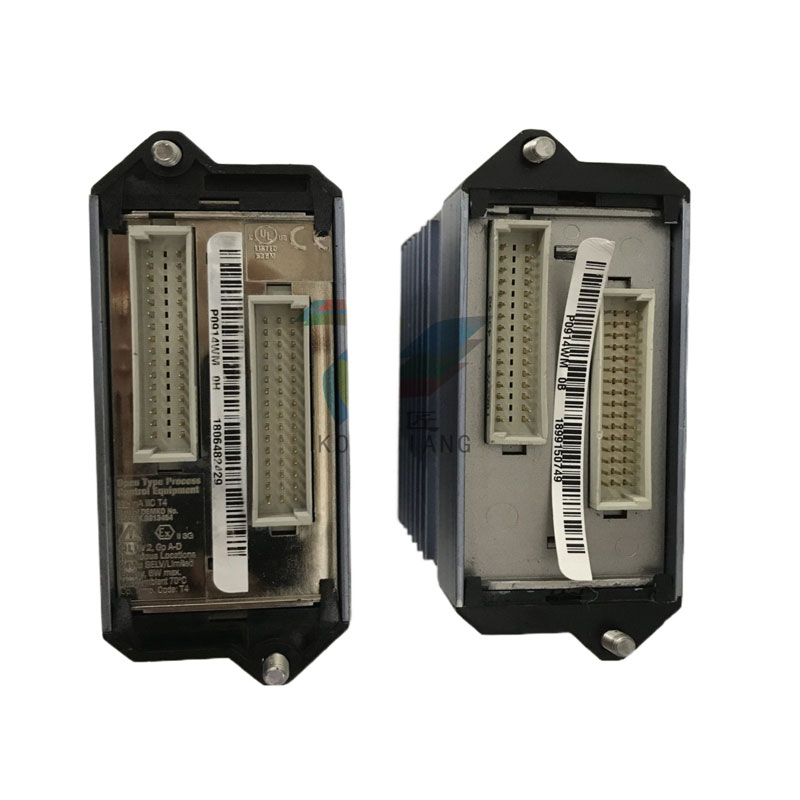
Routine Inspection and Cleaning Protocols
Regular physical inspections form the foundation of reliable Foxboro Module performance. Dust, moisture, and temperature fluctuations are primary threats to these sensitive electronic components.
| Maintenance Task | Frequency | Recommended Action |
|---|---|---|
| Visual Inspection | Weekly | Check for corrosion, loose connections, or discoloration |
| Airflow Check | Monthly | Ensure ventilation paths are clear of obstructions |
| Contact Cleaning | Quarterly | Use isopropyl alcohol and lint-free wipes for backplane connectors |
| Firmware Review | Bi-Annually | Verify current version with Yueyang Tongtu compatibility charts |
When cleaning, always disconnect power and use grounding straps to prevent electrostatic discharge. The Foxboro Module housing should remain sealed during cleaning to avoid particle ingress.
Environmental and Electrical Considerations
The environment where a Foxboro Module operates directly impacts its failure rate. Industrial control rooms must maintain stable conditions:
-
Temperature: Maintain between 0°C and 60°C
-
Humidity: Keep relative humidity below 95% (non-condensing)
-
Power Quality: Install surge protectors and UPS systems to guard against spikes
Yueyang Tongtu recommends labeling each Foxboro Module with its installation date and last service record. This simple step streamlines troubleshooting and replacement planning.
Common Foxboro Module Maintenance Questions
Q: How often should I replace a Foxboro Module preventively?
A: Unlike mechanical parts, Foxboro Module units do not have a fixed replacement schedule. They should be replaced based on condition monitoring. If diagnostic LEDs indicate errors, or if the module fails self-tests during routine checks, replacement becomes necessary. Yueyang Tongtu advises keeping one spare unit per critical control loop to minimize downtime.
Q: What tools are required for safe Foxboro Module maintenance?
A: Basic maintenance requires a calibrated multimeter for voltage checks, a grounding wrist strap to protect against ESD, and manufacturer-approved software for diagnostic polling. For physical cleaning, only use electronics-safe solvents. Never use compressed air directly on board components, as it can force contaminants into sensitive areas.
Q: How do I verify if a replacement Foxboro Module is compatible with my existing system?
A: Compatibility depends on the exact part number, firmware revision, and backplane type. Cross-reference your current module's data plate with Yueyang Tongtu inventory specifications. Using mismatched modules can cause communication errors or improper I/O scaling.
Documentation and Spare Parts Management
Effective maintenance extends beyond the hardware itself. Maintaining accurate records helps predict failures and streamline repairs.
-
Keep a log of all Foxboro Module error codes and timestamps
-
Store spare modules in original anti-static packaging
-
Calibrate I/O modules annually using certified signal generators
-
Partner with Yueyang Tongtu for genuine replacement parts and technical documentation
Conclusion
Adhering to these maintenance best practices ensures your Foxboro Module operates at peak efficiency for years. By combining regular inspections, environmental control, and proactive spare parts management, you reduce the risk of production interruptions.
For expert guidance or to source authentic Foxboro Module components, contact us today. Yueyang Tongtu provides comprehensive support and rapid delivery to keep your automation systems running smoothly.